
Blend
- Images: 2 images.
- Logic: Blends the two images’ concepts into one (e.g. two spaces into a new space).
Settings panel:
- Space type (optional): Text field, e.g. “restaurant, showroom, modern home…”; leave empty for auto blend.
- Image 1 weight / Image 2 weight:
- Two sliders control each image’s share in the result (1%–100%, shown as percentages).
- Default 50% each; adjust independently.
- Click 「开始融合」 (Start blend) to run.
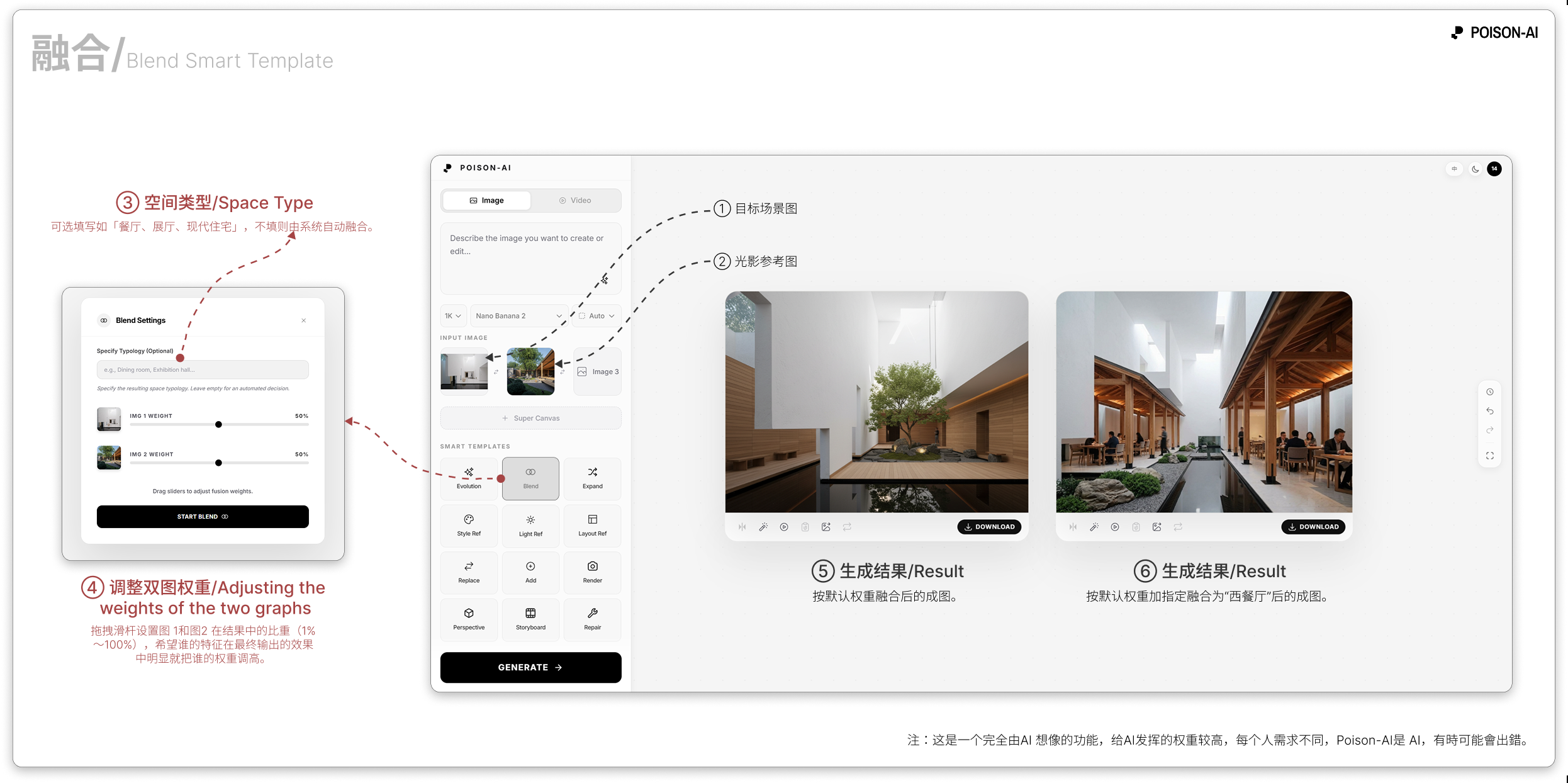
- The Result area shows Image 1 and Image 2 blended by the set weights and optional space type; compare with the sliders in the modal.
If the product changes this template, follow the in-app UI.