
Render
- Images: 1 image (sketch or draft).
- Logic: Turns the sketch/draft into a realistic or stylized render.
Settings panel:
- Weather: 6 options — Sunny, Cloudy, Overcast, Rain, Snow, Haze.
- Time: Slider 0–23.9 (hours), step 0.1; affects lighting.
- Art level: Slider 0–100 (integer); UI bands:
- 0–30: Physically realistic
- 30–70: Cinematic
- 70–100: Narrative / artistic
- Click 「开始物理渲染」 (Start physical render) when ready.
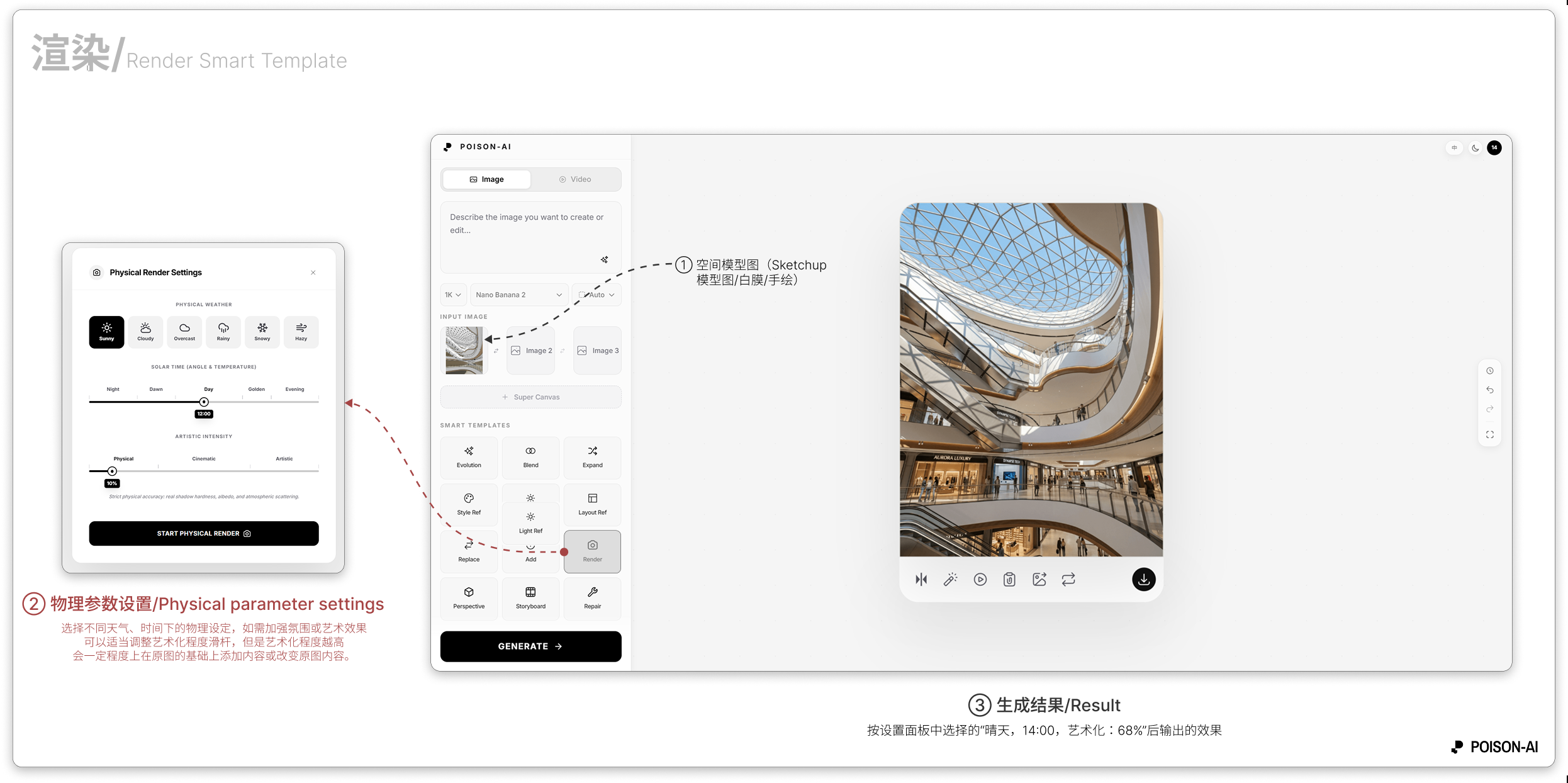
- The Result area is the sketch/draft rendered with the chosen weather, time, and art level; compare with the panel settings.
If the product changes this template, follow the in-app UI.