
Perspective
- Images: 1 image (space or architecture).
- Logic: Regenerates the image from a new viewpoint and focal length — like moving a “virtual camera.”
Settings panel:
- Focal length: Slider maps to 5 focal lengths (mm): 16, 24, 35, 70, 135; 0–100% maps to these five.
- 3D rotation: 3D cube control to rotate view horizontally and vertically (two axes).
- Auto focal length: “Auto analyze focal length” analyzes the image and can fill in the focal length.
- Click 「执行视角变换」 (Apply perspective) to run.
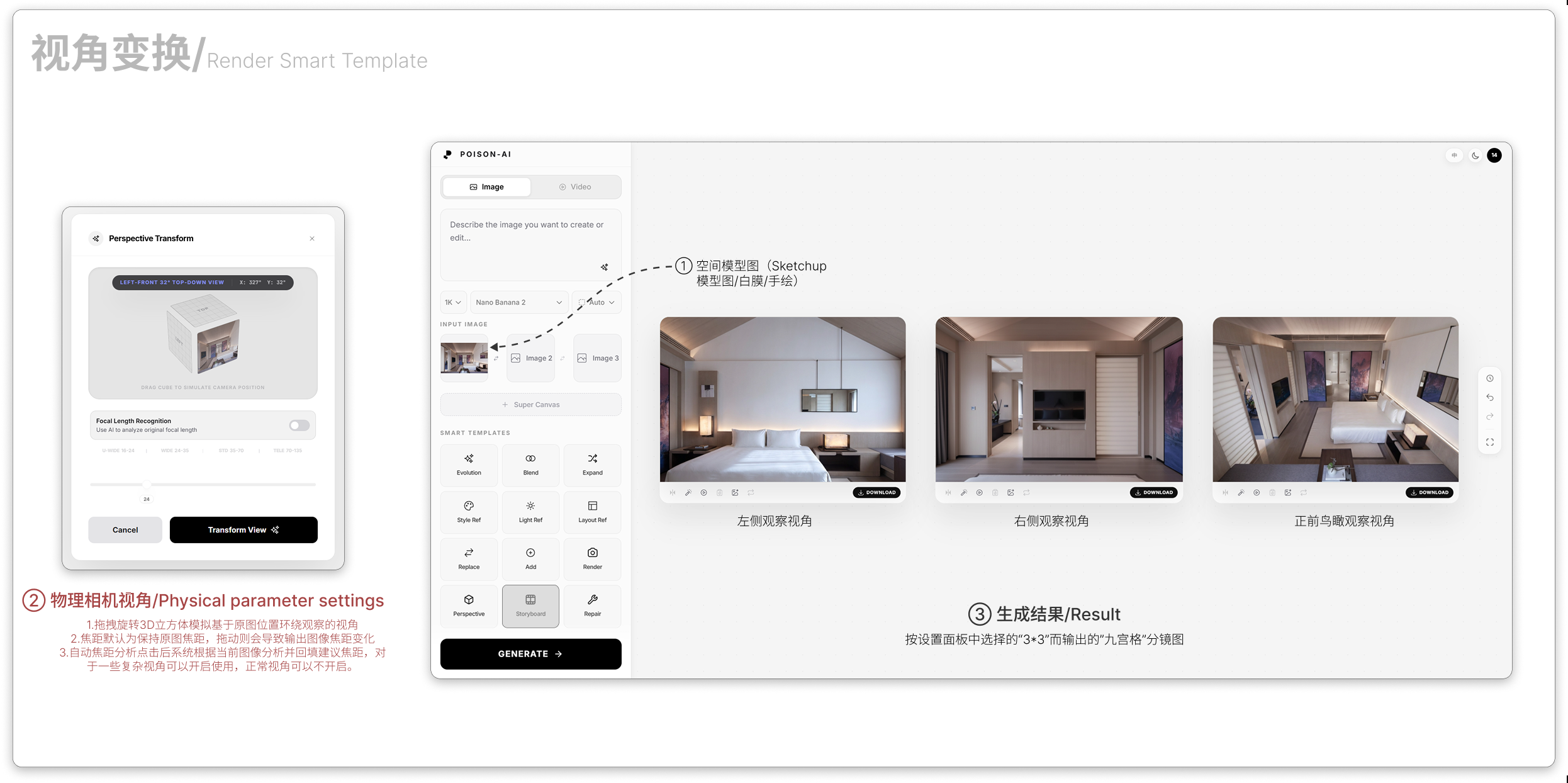
- The Result area is the image transformed by the current focal length and 3D view; compare with the modal settings.
If the product changes this template, follow the in-app UI.