
Replace (inpainting)
Replace requires a main prompt: you must enter text in the main prompt box, or the system will show an error and will not generate.
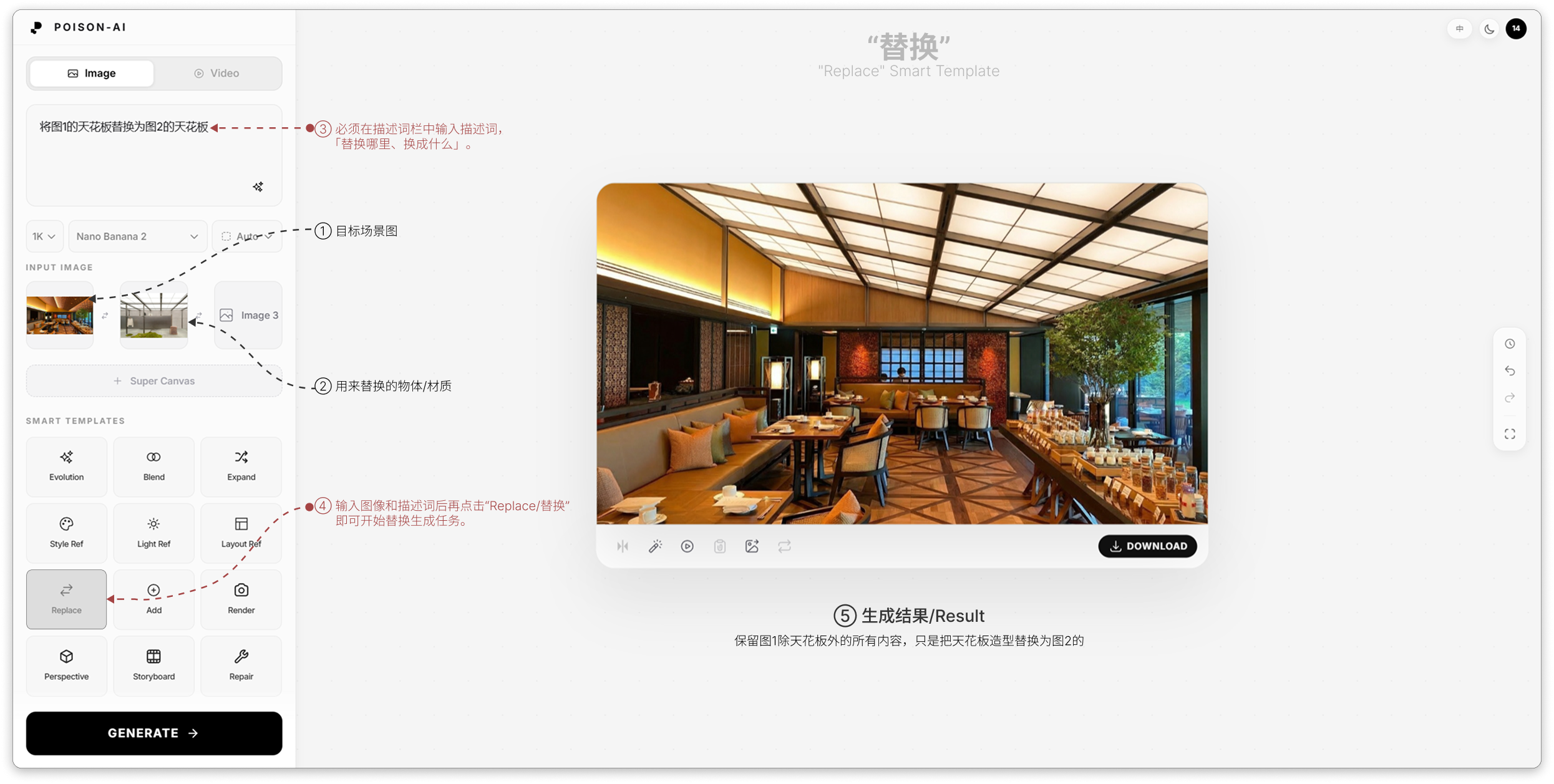
- ① Main prompt — Use a short instruction for “what to replace and with what,” e.g. “Replace the ceiling in Image 1 with the ceiling from Image 2” or “Replace the red painted area with the material from Image 2.” Clearer instructions give more controllable results.
- ② Reference slots — Image 1 = scene to modify, Image 2 = object or material to use for replacement; drag or click to upload; you can swap or edit before generating.
Usage
- Images: 2 images — Image 1 = scene to modify, Image 2 = object or material for replacement.
- Main prompt (required): Enter the replace intent in the main input; if you only upload two images and leave the prompt empty, Generate will show an error and not run.
- If you only uploaded images, add a prompt before generating.