
Expand (outpainting)
- Images: 1 image (design reference).
- Logic: Uses the image’s style to generate other named spaces in the same “project” (e.g. kitchen, master bedroom, bathroom); results are laid out in a grid.
Settings panel:
- Input: Multi-line text in the modal; enter the space names you want to expand.
- Separators: Chinese comma 「、」, comma 「,」, or full-width comma 「,」; multiple names become a list.
- Grid: Number of names sets grid size (N×N).
- e.g. “Kitchen, Bedroom, Bath, Kids’ room” → 4 items → 2×2 grid; 5 items → 3×3.
- Required: At least one valid space name to enable generation.
- Max number of spaces depends on the product.
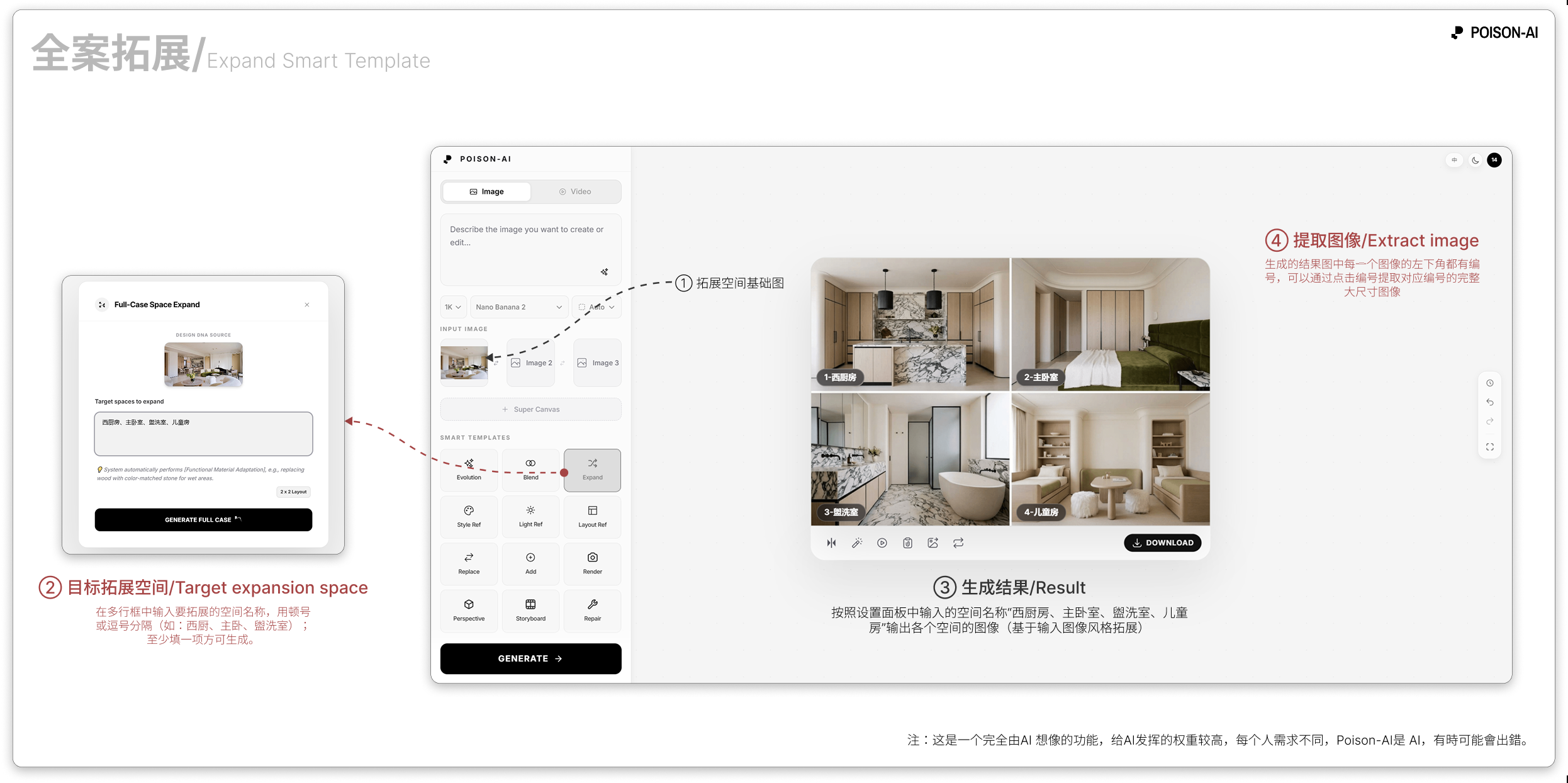
- In Extract image, each cell is numbered (①, ②, ③…) in the order of the space names; click a cell to “Extract this cell” onto the canvas.
If the product changes this template, follow the in-app UI.